Publish in 3 steps
Wizard is used to create a scheduling task to rapidly and publish to specific devices managed by PixSign.
Click "Wizard" menu item in the side navigator. The following steps are used to create a task:
- Choose a template layout
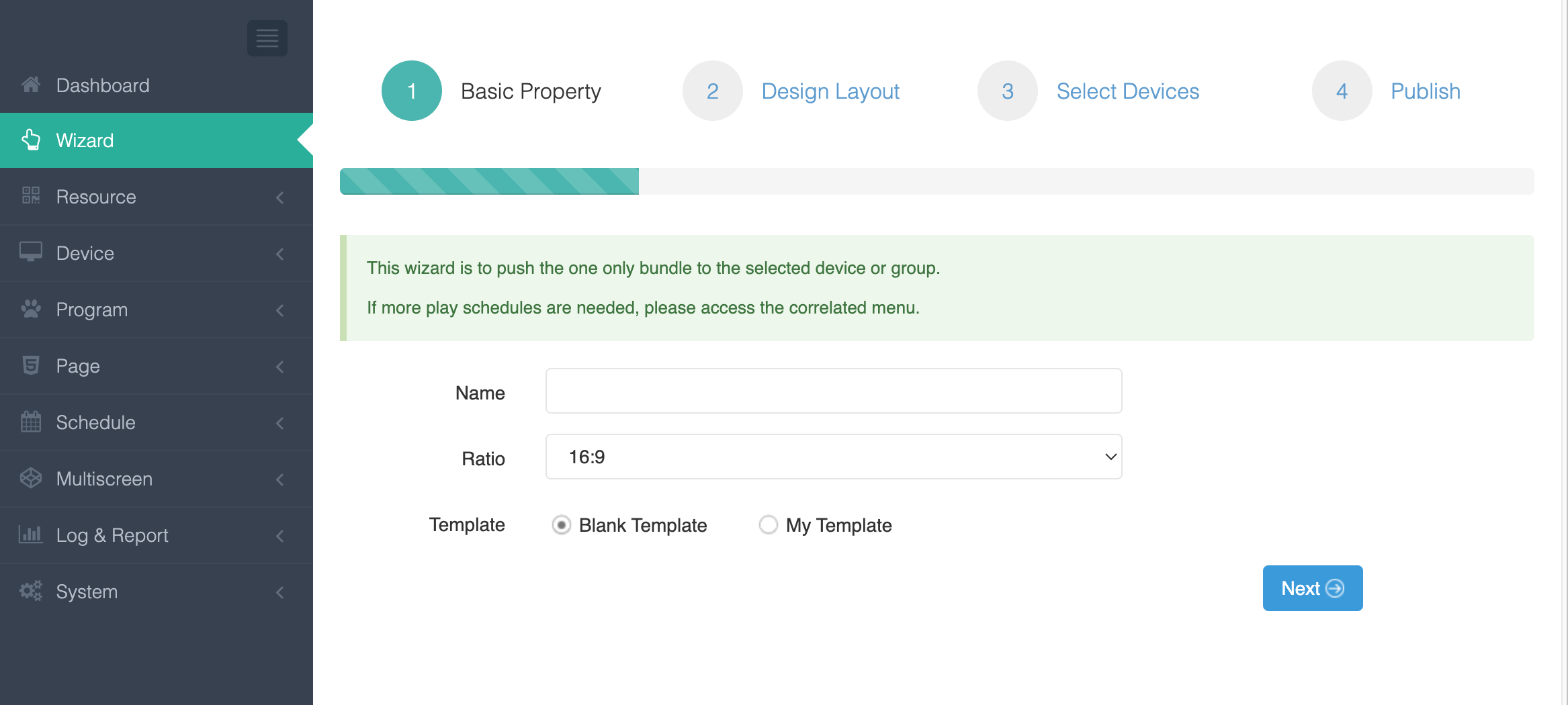
- Name the program
- Select layout type, such as 16:9, 4:3, etc.
- New layout or select an existing layout
- Design the layout, using existing layout template or design a new one
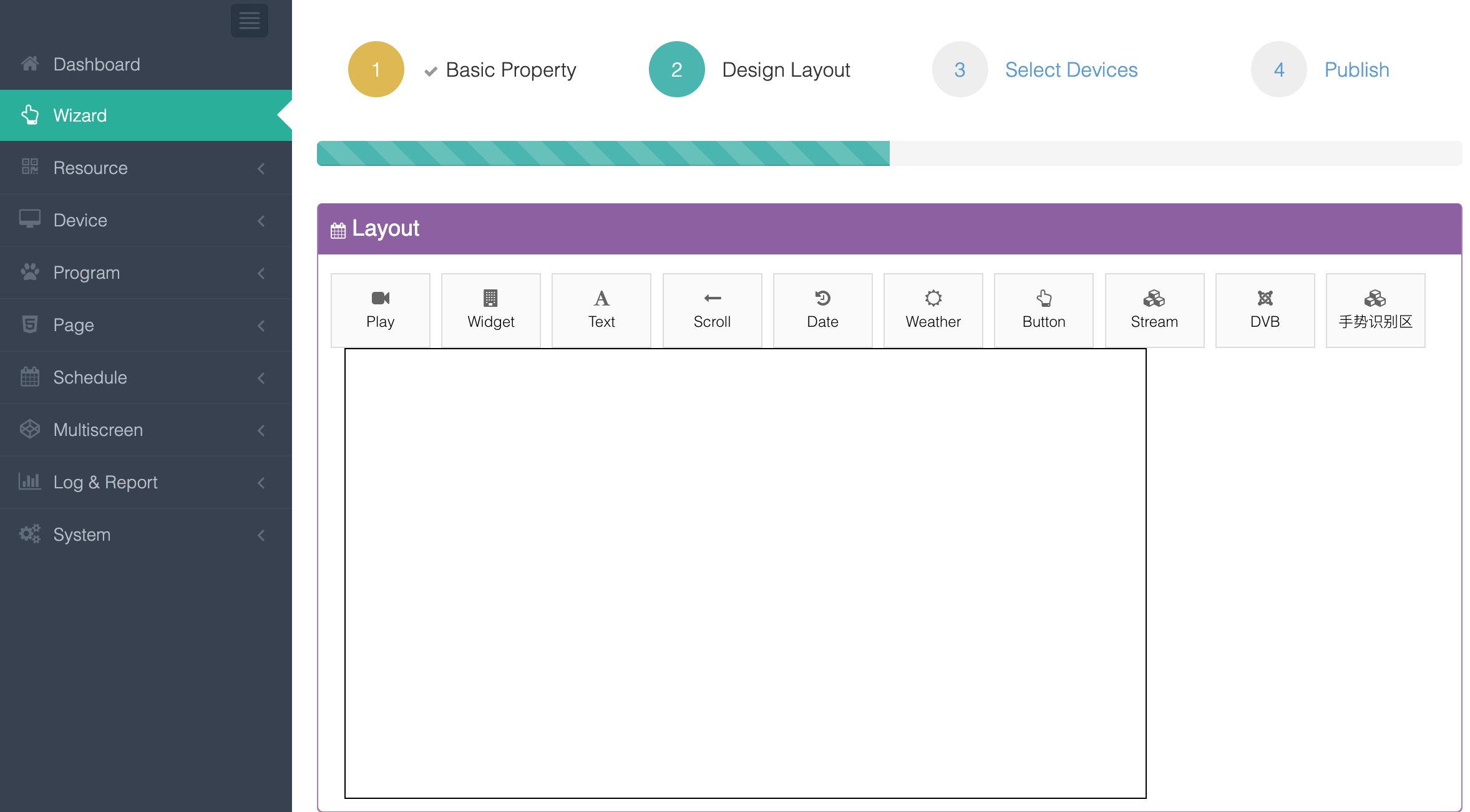 Multiple components for design: video/image media player, streaming, DVB signal, text, rolling text, button, and widgets such as weather, date.
 - Apply to devices
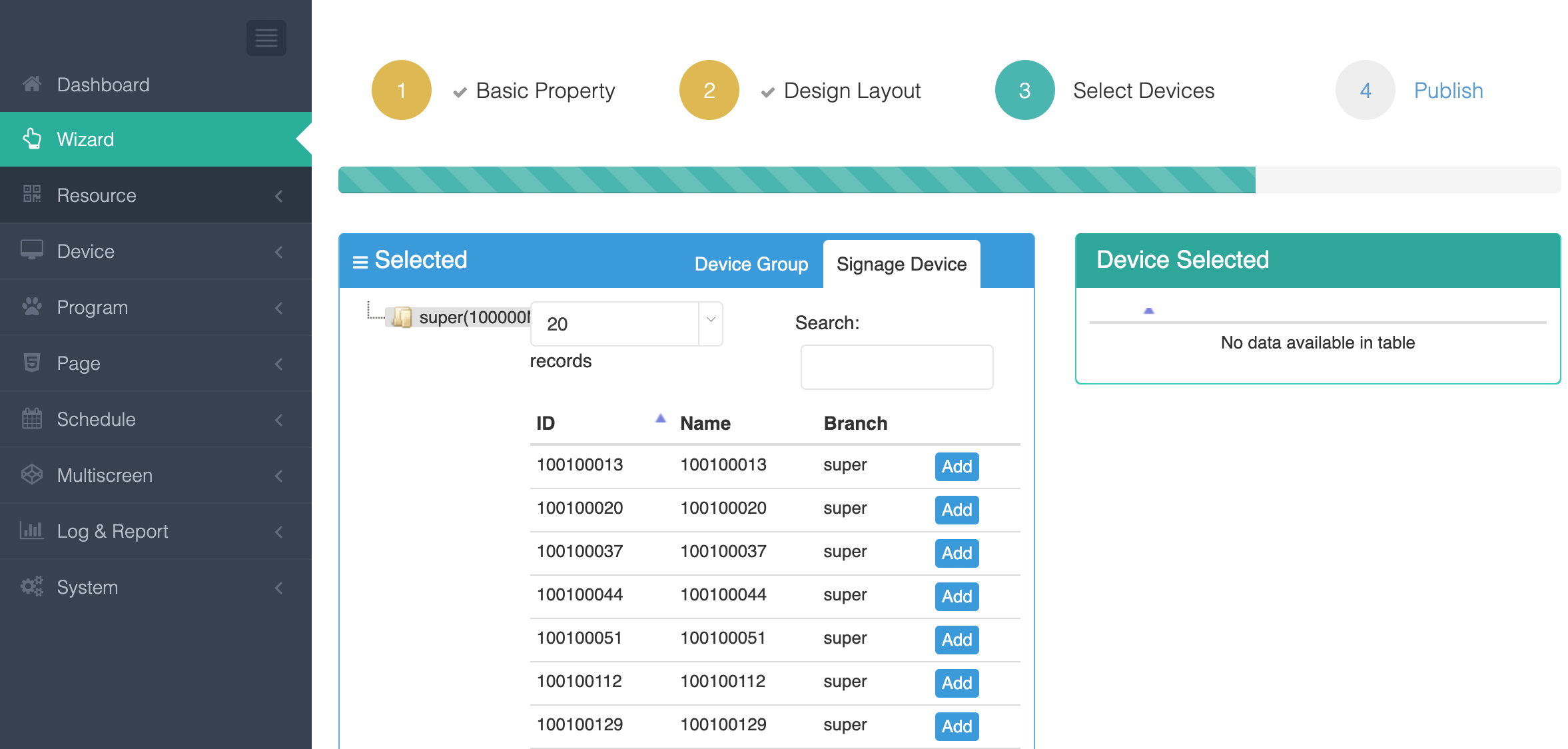 Choose devices or devices group to apply.
 - Confirm and publish
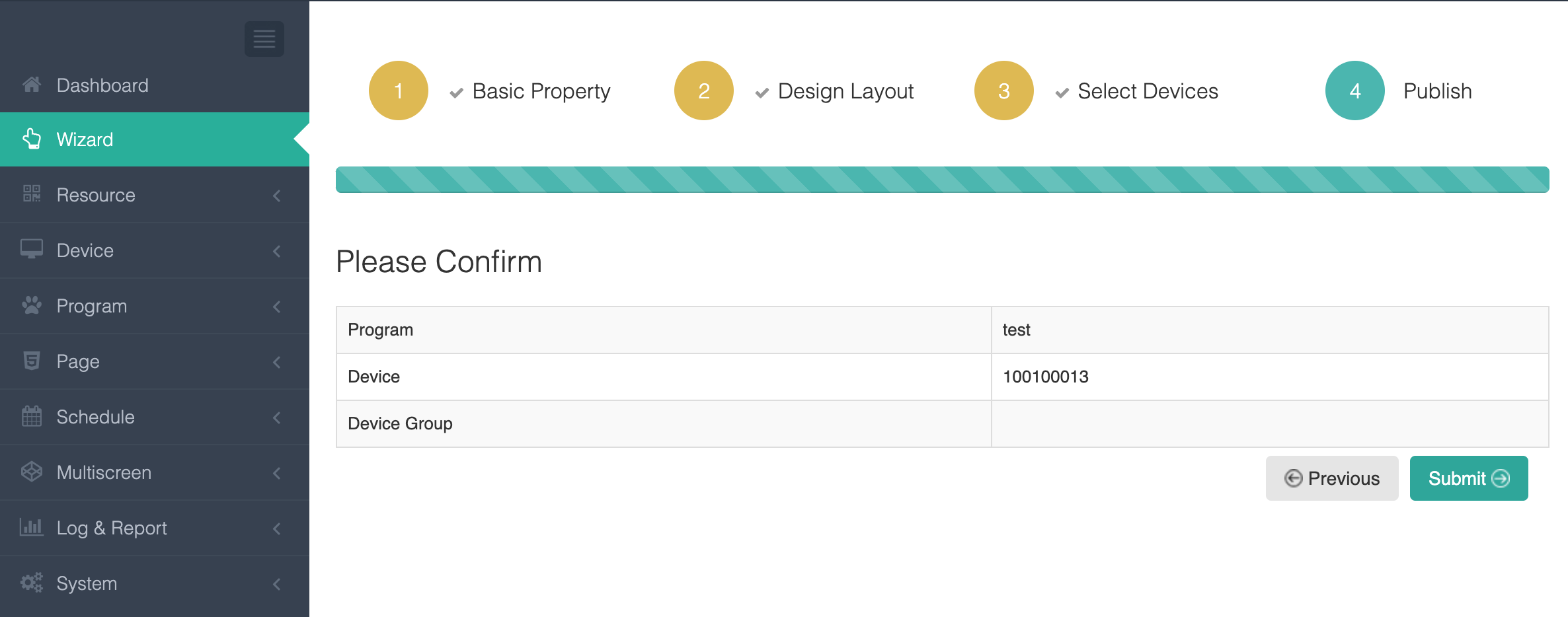 Take a look at summary and press Submit button to complete publishing.