Setup PixSign AIO
We provide an easy-to-use ARM and Linux based AIO server for PixSign. It's an industrial-grade server with compact size, and has all the features of PixSign.
What's PixSign AIO?
PixSign AIO is ARM based server pre-installed with PixSign server software.
AIO-2000
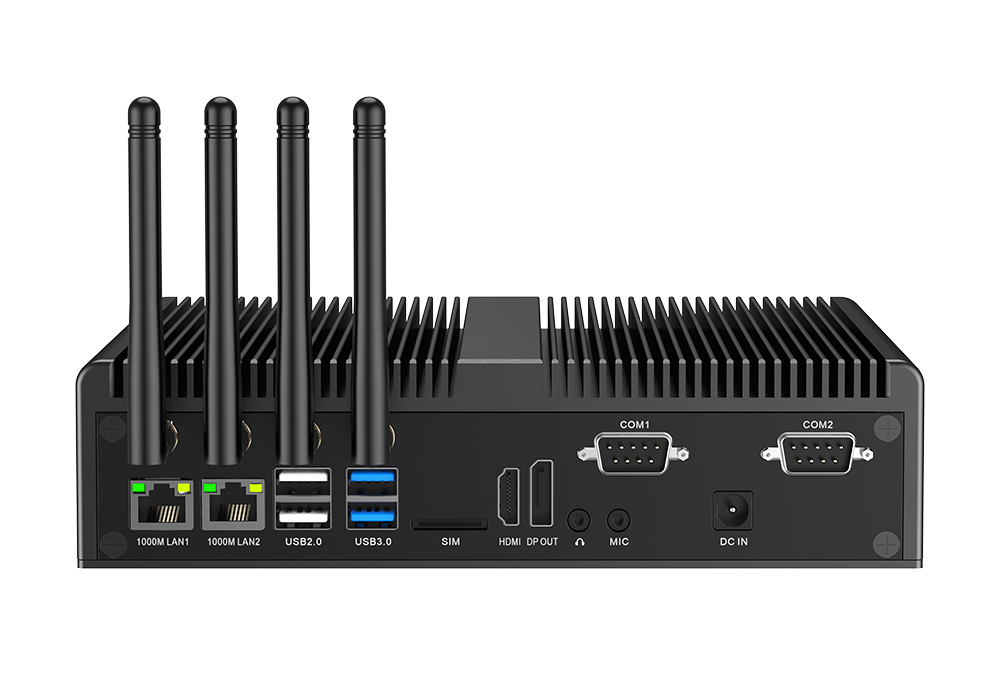
Brief specification of The AIO-2000 hardware:
- CPU: Rockchip RK3399 SoC
- Memory: 4GB/8GB
- Flash: 32GB/64GB
- SSD: 128GB (only PixSign AIO-2000 is supported)
- USB: 3.0x2, 2.0x2
- Ethernet: 10/100/1000Base-T
- Wi-Fi: 802.11 b/g/n, 802.11ax
- HDMI output: 1
- DP output: 1 (only PixSign AIO-2000 is supported)
AIO-1000
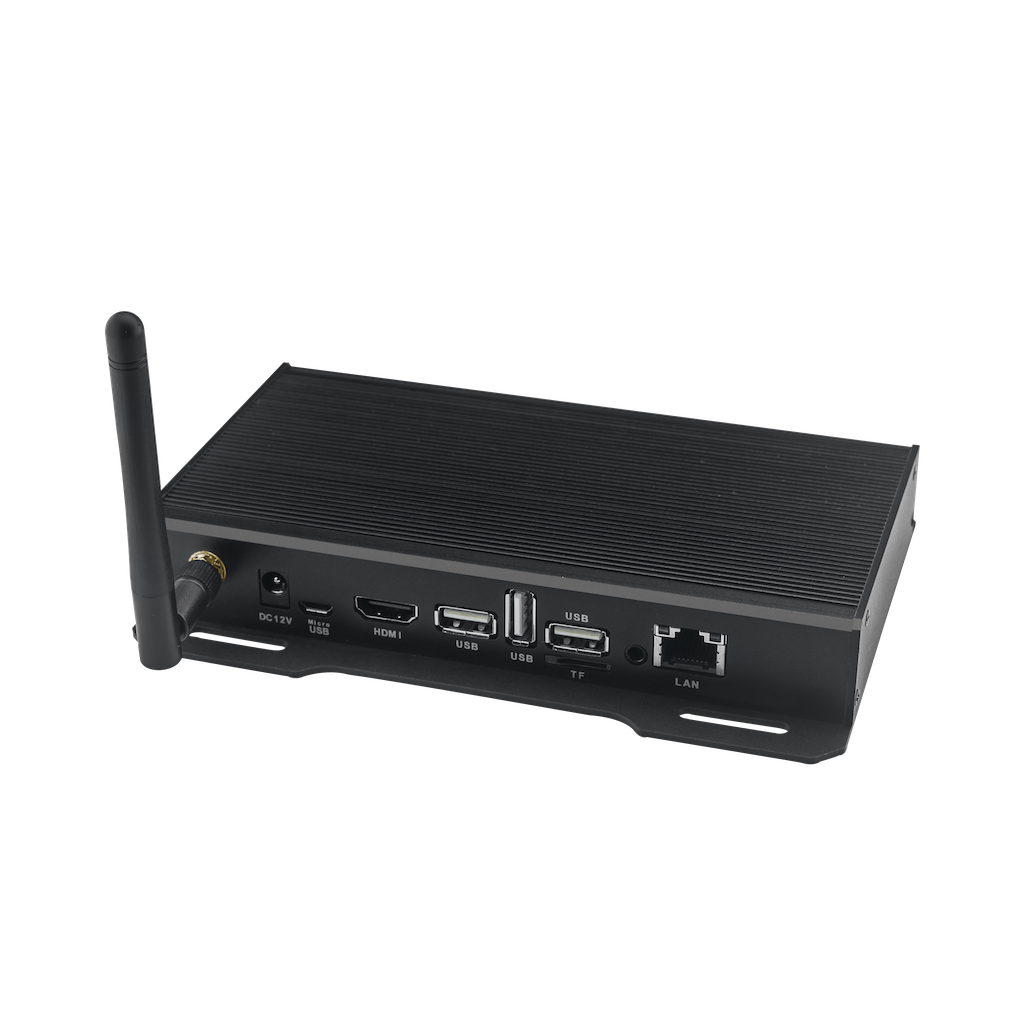
Brief specification of The AIO-2000 hardware:
- CPU: Rockchip RK3399 SoC
- Memory: 4GB/8GB
- Flash: 32GB/64GB
- USB: 3.0x2, 2.0x1
- Ethernet: 10/100/1000Base-T
- Wi-Fi: 802.11 b/g/n, 802.11ax
- HDMI output: 1
Before you get started
Here are the steps to get started with PixSign AIO Server.
- Unbox the AIO Server
- Connect a monitor or TV to the AIO Server via HDMI, (AIO-2000 support DP as well) ;
- Connect keyboard and mouse to the AIO Server via USB;
- Plug a network cable to the AIO Server or using Wi-Fi;
- Power on the AIO Server (AIO-1000 will boot up automatically using Power Adapater, while AIO-2000 has a button in the front panel);
Three steps to complete the setup
| Step | Description | Image |
|---|---|---|
| 1. Set Admin Password | Set the password for your admin account. Suggest using a strong password combined with numbers and letters. | 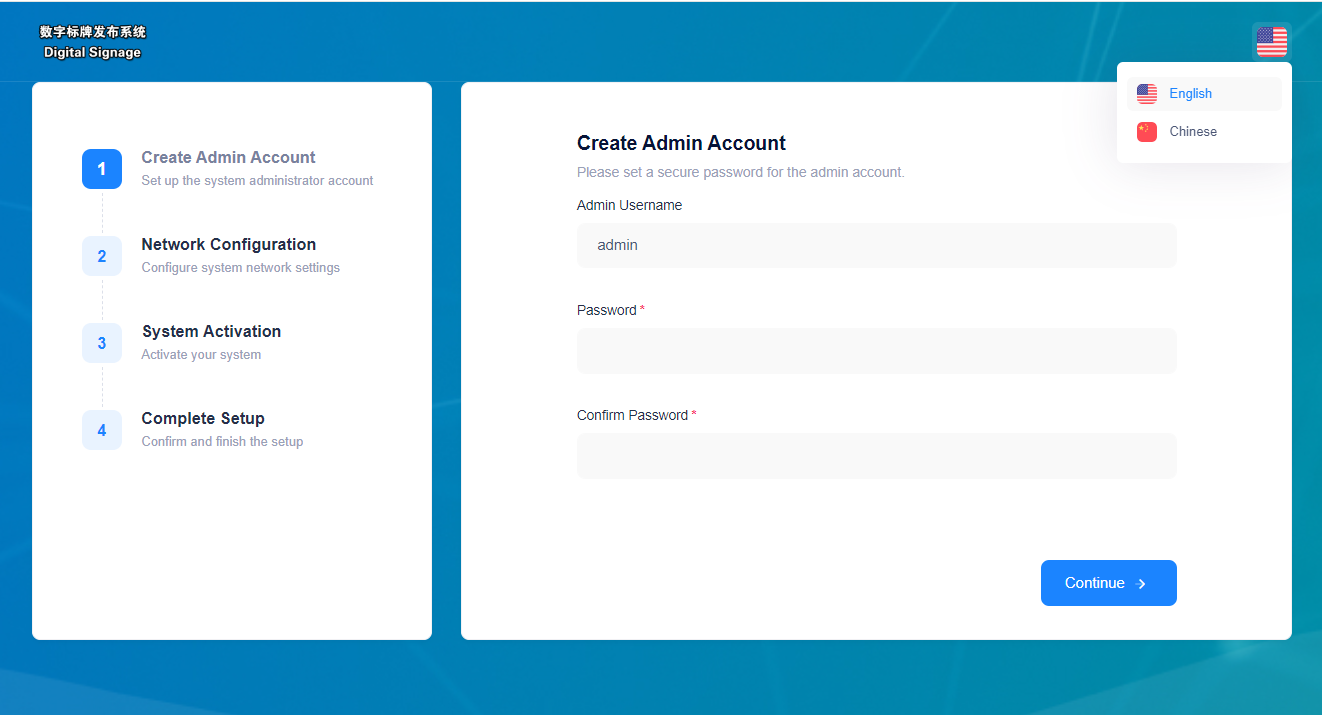 |
| 2. Configure Network | Configure the network of the AIO-2000, including IP, DNS, gateway, and subnet mask. Suggest using a static IP. | 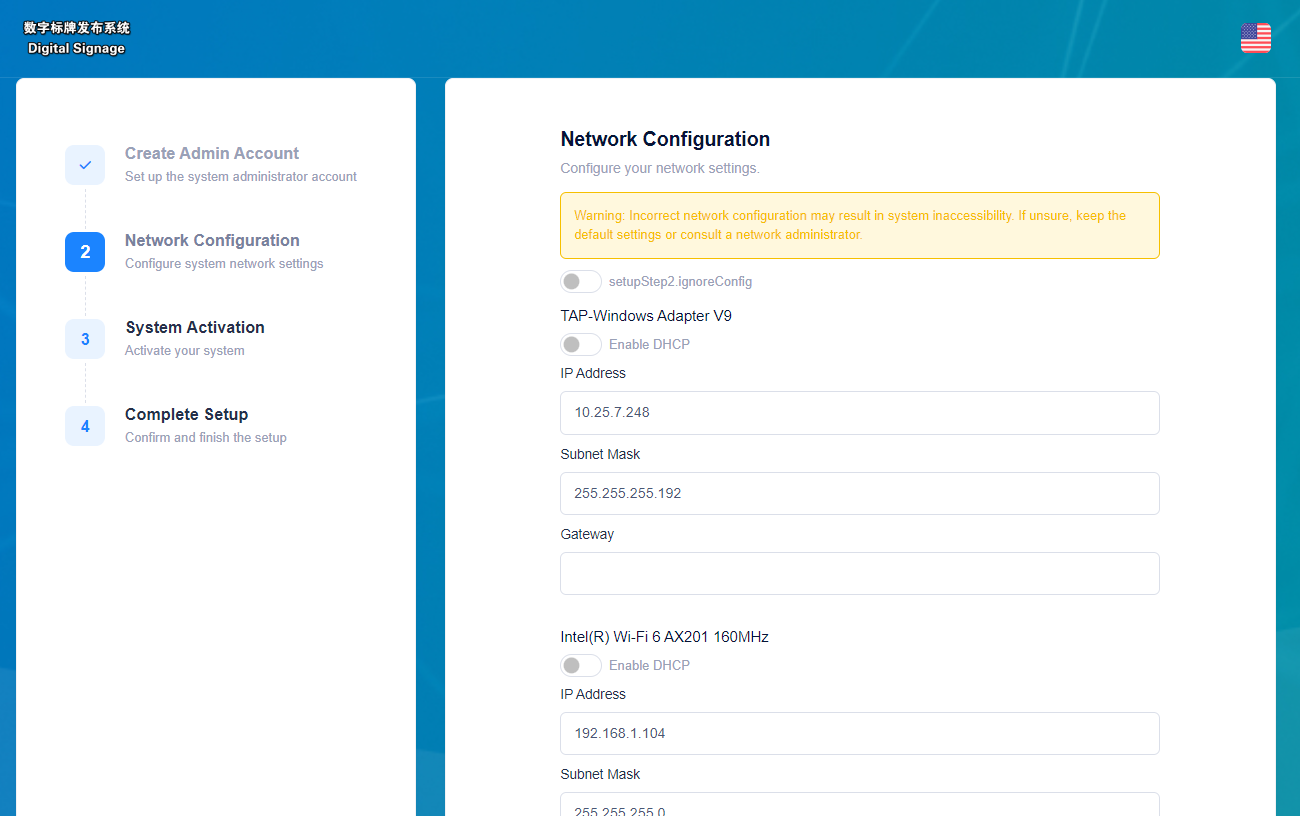 |
| 3. Activate AIO-2000 | Activate the AIO-2000 through an activation key file. (You can get it from your PixSign admin account or your email after purchase.) | 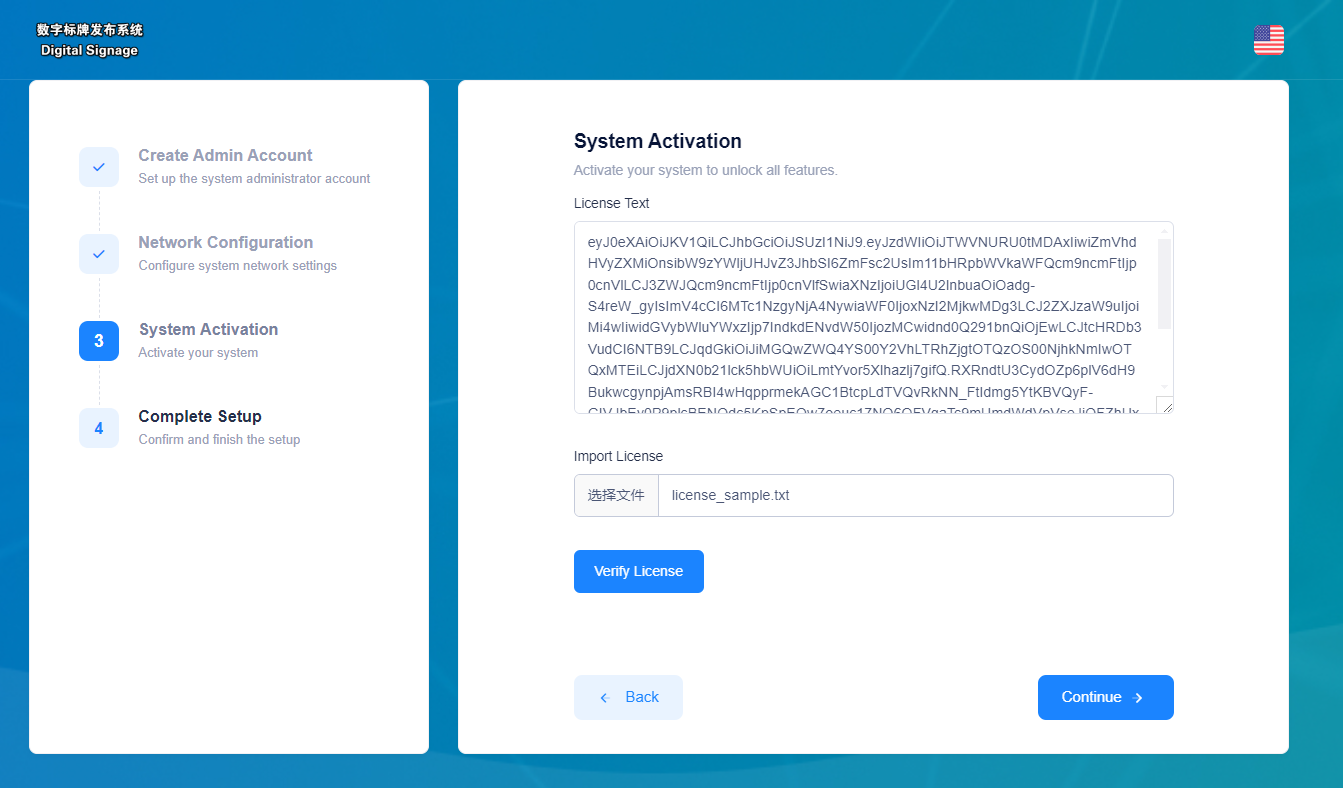 |
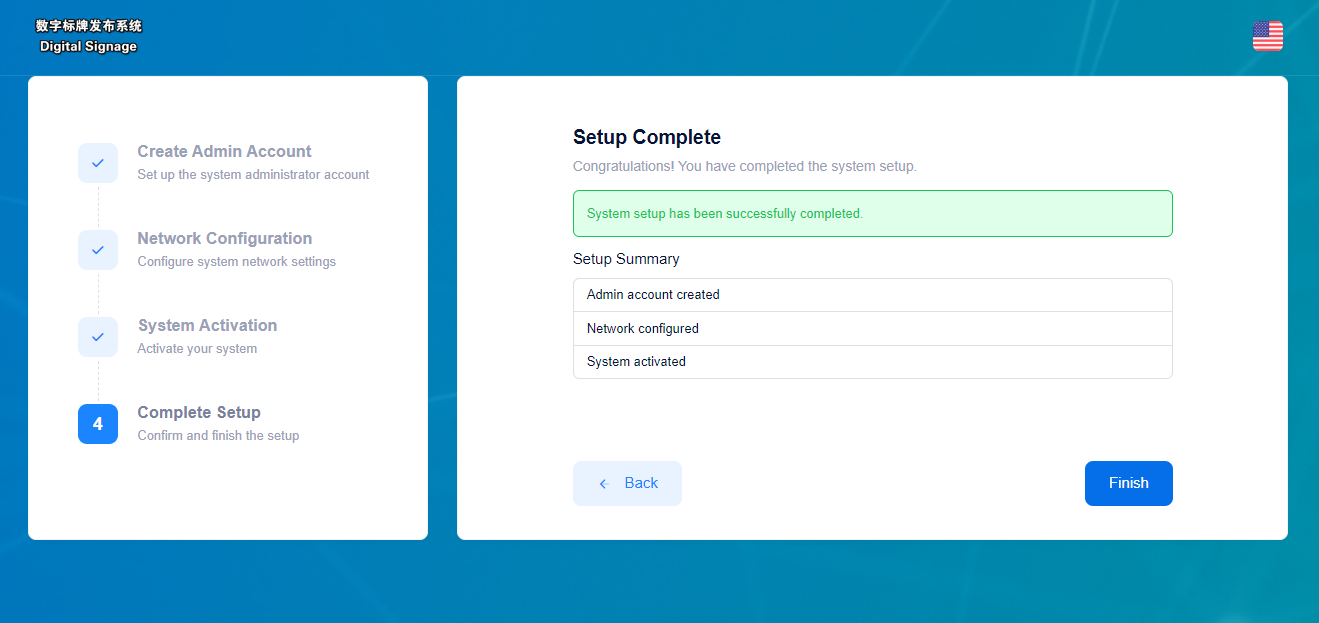
Congratulations! The AIO-2000 is now ready to use.
What's the next
You can use the console to manage PixSign or access the URL of http://ip-of-the-AIO from your computer's browser. Please make sure the network is reachable.
The operations of PixSign CMS includes: